You finish the script, open your TTS tool, and hit a credit wall with six videos still left to publish this month. Or you discover — after the upload goes live — that your free-tier audio technically violates the commercial use clause buried in the tool’s terms. Both problems are avoidable. Both are common.
Based on current published specs and pricing: ElevenLabs leads on voice realism and is the default pick for narration or storytelling channels. Murf makes more sense if you want built-in video sync without switching apps. Fish Audio undercuts everything on voice cloning price. VEED bundles voice into a full browser-based video editor. TopMediai adds AI music generation to the stack if you need that too.
One thing to flag before diving in: Play.ht shut down in early 2026 and terminated all subscriptions. If you were using it, ElevenLabs is the closest replacement in terms of voice quality and API depth.
Some links below are affiliate links. They don’t change what you pay, and tools are picked on merit — including the parts where they fall short.

The five best AI voice generators for YouTube creators — compared
One thing worth flagging before the table: every free tier in this comparison restricts commercial use. If your channel earns ad revenue or runs channel memberships, the free plan of any tool here puts you offside from day one. You need a paid plan with an explicit commercial license before you publish to a monetized channel.
| Tool | Best for | Watch out for | Price (at time of writing) |
|---|---|---|---|
| ElevenLabs | Realistic narration, emotional delivery, long-form consistency | Free plan has no commercial rights; voice cloning requires Creator tier | Free; Starter $5/mo; Creator $22/mo |
| Murf | Video-synced voiceover, e-learning, marketing teams | Hard 2 hr/mo cap — generation stops completely when you hit it | Free (10 min total, no downloads); Creator $19/mo annual / $29/mo monthly |
| Fish Audio | Budget voice cloning, developer API pipelines | Free plan explicitly bans commercial use — unusable for monetized channels | Free (~7 min/mo); Plus from $5.50/mo annual promo (list: $20/mo) |
| VEED | All-in-one browser editor: voice + captions + multilingual export | TTS capped at 12 hr/mo even on Pro; free plan watermarks all exports | Free (watermarked); Lite from $12/mo annual / $19/mo monthly |
| TopMediai | Creators who need TTS + AI music + video from one platform | Pricing doubles after month one; credit system burns at different rates per feature | Creator $8.99/mo first month, then $17.99/mo |
ElevenLabs — best for realistic YouTube narration
No other tool in this comparison handles long-form consistency as well as ElevenLabs. Narration across a 15-minute script stays natural — no tone drift, no robotic rhythm appearing mid-paragraph. That consistency is what matters most on storytelling channels, documentary-style content, or educational videos where flat delivery quietly kills retention.
The Creator plan (~$22/mo, at the time of writing) provides around 100 minutes of audio per month. For a channel posting weekly 10-minute videos, that’s roughly 10 uploads with headroom for retakes. At that publishing pace, the cost works out to about $2.20 per video — a figure that doesn’t appear on any pricing page but is worth knowing when comparing tools.
Commercial use starts at the Starter plan ($5/mo), which covers 30,000 characters and commercial rights. The free plan’s 10,000 characters per month is enough for testing but is explicitly non-commercial — if your channel earns ad revenue, the free plan is not an option, regardless of how light your usage is.
Voice cloning — for a consistent branded narrator — requires the Creator plan. Starter gets instant cloning at lower fidelity. For channels where the narrator voice is the identity, that tier gap matters more than the $17/mo price difference implies.
ElevenLabs supports 32+ languages. Korean, Spanish, French, and German produce natural results. Output quality for less common languages varies enough that a free-tier test on your specific target language is worth doing before you upgrade. → ElevenLabs official page
Murf — best for video-synced voiceover without a separate editing app
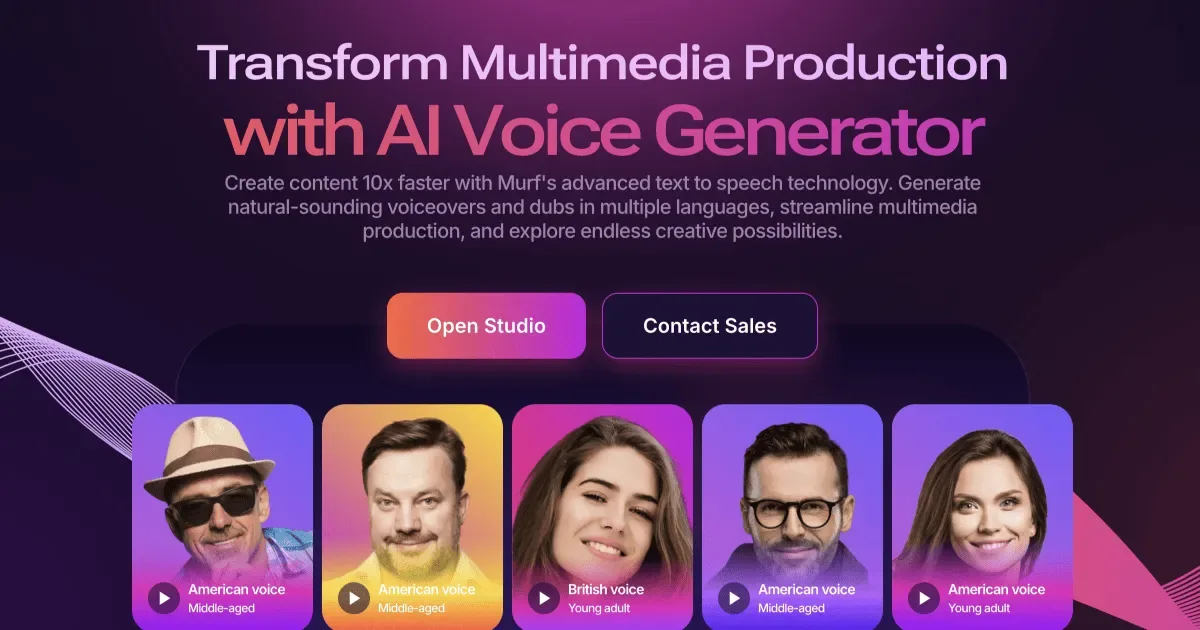
Murf’s differentiator isn’t voice quality — it’s the integrated timeline. You paste a script, select a voice, adjust pacing, and drag your visual assets alongside the generated audio directly inside Murf’s editor. The voiceover syncs to your clips, you export, done. No round-trip to Premiere or DaVinci.
The Creator plan ($19/mo annual, $29/mo monthly) includes 2 hours of voice generation per month. That’s 120 minutes — enough for 12 ten-minute videos. Here’s the catch that matters operationally: when you hit that cap, Murf stops generating entirely. No overage charges, but no overflow either. Hit the wall on the 27th with two videos left to produce before a deadline, and your only options are to upgrade or wait. For channels on a consistent publishing schedule, that hard stop is a real risk worth planning around.
The free tier is a demo, not a tool: 10 minutes total across the entire account, no audio downloads, no commercial rights.
Voice realism is solid for explainer and educational content. It doesn’t match ElevenLabs on expressive emotional range. For informational channels where the narration needs to convey information clearly, that gap won’t bother you. For storytelling channels where tone carries the audience through, it will. Twenty-plus languages are supported, with the strongest output in English. → Murf official page
Fish Audio — best for budget voice cloning at volume
Fish Audio’s main argument is price-per-clone. The Plus plan runs as low as $5.50/mo on annual billing (list price $20/mo, at the time of writing), and that includes voice cloning — a feature that starts at $22/mo on ElevenLabs. For a faceless channel that needs a consistent cloned narrator across dozens of videos per month, Fish Audio closes that gap significantly.
The API is built for high volume: roughly $15 per million UTF-8 bytes, which translates to about 12 hours of speech. Developers building YouTube automation workflows or batch dubbing pipelines will find this the most cost-efficient API option in this comparison.
The commercial use restriction on the free tier is more explicit here than anywhere else on this list. Fish Audio’s terms specifically state that free-plan audio is for personal, non-commercial use — publishing it to a monetized YouTube channel is a direct terms violation. Get on a paid plan from your first upload to a monetized channel, not after you get flagged.
Raw voice quality is good for basic narration but doesn’t reach ElevenLabs at the top end. The interface is less polished than Murf or VEED. If you’re not using the API and just need a voice generator with a simple workflow, VEED or Murf will feel more comfortable day-to-day. → Fish Audio official page
VEED — best for the all-browser creator who wants one tab for everything

VEED is the only option here that handles voice generation, subtitle generation, video editing, translation, and export inside a single browser tab. No desktop software, no switching apps. For a solo creator producing two or three videos a week who wants one workspace, that’s a genuine workflow advantage over running ElevenLabs alongside a separate video editor.
The Pro plan ($24/mo on annual billing, $49/mo monthly, at the time of writing) includes 12 hours of text-to-speech per month and translation into 50+ languages. That translation feature is the most practical differentiator for creators targeting multilingual audiences — you generate an English voiceover and a Spanish-dubbed version in the same session.
The limitation is straightforward: VEED’s TTS caps at 12 hours even on Pro, and raw voice naturalness trails ElevenLabs. VEED’s competitive advantage is integration, not voice quality. If you already use a desktop editor you’re happy with and only need better voice output, VEED is probably overkill at this price. For a full breakdown of how AI video tools compare across the stack, see Best AI Video Generators for YouTube Creators in 2026. → VEED official page
TopMediai — best for creators who need voice, music, and video from one platform

TopMediai bundles three things most creator platforms sell separately: TTS, AI video generation, and AI music. If your YouTube content regularly needs original background music alongside narration, paying one subscription instead of two or three makes financial sense.
The Creator plan starts at $8.99/mo for the first month, then moves to $17.99/mo. Each month includes 3,750 credits, which converts to roughly 750,000 TTS characters by TopMediai’s published conversion rates — substantial volume for a weekly publisher. The platform claims 3,200 voices across 190+ languages and accents (per TopMediai’s published specs), the widest raw coverage in this comparison.
The credit system is where it gets complicated. Different features burn credits at different rates: a minute of TTS and a minute of AI video don’t cost the same number of credits. The first-month promotional price doubling to full price is easy to miss when you’re distracted by the output. Before committing, map out how many TTS minutes you actually need per month versus how much of the credit allocation goes toward features you won’t use. Commercial use requires a paid subscription; the free tier does not cover it. → TopMediai official page
Frequently asked questions

Q. Can I legally use AI-generated voice audio on a monetized YouTube channel for free?
Almost certainly not — every tool in this comparison restricts free-tier audio to personal or non-commercial use, and YouTube ad revenue counts as commercial use under most platforms’ terms. To publish safely, you need a paid plan that explicitly grants commercial licensing. To be safe, publish monetized content using audio generated under a paid plan’s commercial license, and confirm each tool’s specific terms directly on their pricing page before uploading.
Q. Which AI voice generator sounds the most realistic in 2026?
ElevenLabs consistently leads — specifically for long-form narration where tone consistency across 10–15 minutes matters, and for expressive delivery where emotional inflection affects how the audience stays engaged. Murf is a solid second for informational content, but the gap becomes audible on storytelling or documentary-style narration where flat delivery would cost you watch time.
Q. What happened to Play.ht, and what should I use instead?
Play.ht shut down in early 2026 and terminated all active subscriptions. For voice quality and API access, ElevenLabs is the closest substitute. If you relied specifically on Play.ht’s video timeline sync features, Murf is the more direct replacement.
Which voice generator to start with
For most YouTube creators publishing narration-heavy content weekly, ElevenLabs Starter ($5/mo) is the right first step. It’s the cheapest tier that includes commercial licensing, and it lets you test whether ElevenLabs voice quality fits your channel before committing to Creator. If you post consistently and need reliable voice cloning, move to Creator ($22/mo) — the cost per video at weekly publishing pace is under $3.
If your workflow is browser-based and you’d rather not manage multiple tools, Murf Creator is the practical choice for most creators — just account for the hard monthly cap in your content calendar. VEED Pro is the pick if multilingual export or all-in-one video editing matters more than raw voice quality.
On a tight budget with voice cloning as the priority, Fish Audio Plus gives the most capability per dollar. Start on the paid plan before your first upload to a monetized channel — the commercial-use restriction on the free tier is the fastest way to create a problem that didn’t need to exist.
The quickest way to decide: create free accounts on ElevenLabs and Murf, run the same 200-word script paragraph through both, and compare the output back-to-back. Pricing math only tells part of the story — the voice that actually fits how your channel sounds is the one you’ll use every week without thinking about it.